

Entity Schema: The Knowledge Graph Handshake

Entity Schema: The Knowledge Graph Handshake

Entity Schema: The Knowledge Graph Handshake

In the "Keyword Era," you ranked because you typed the right words. In the "Entity Era" (2025), you rank because Google knows who you are.

If you do not explicitly define your identity using Entity Schema, you are leaving your reputation to chance. You are asking Google to infer your brand’s logo, contact points, and entity relationships from messy HTML and inconsistent third-party references. When the system infers wrong, you get misattribution, inconsistent SERP presentation, and weaker entity confidence signals.

Entity Schema is not just "good practice"; it is the digital passport that proves you exist [1].
In the "Keyword Era," you ranked because you typed the right words. In the "Entity Era" (2025), you rank because Google knows who you are.

If you do not explicitly define your identity using Entity Schema, you are leaving your reputation to chance. You are asking Google to infer your brand’s logo, contact points, and entity relationships from messy HTML and inconsistent third-party references. When the system infers wrong, you get misattribution, inconsistent SERP presentation, and weaker entity confidence signals.

Entity Schema is not just "good practice"; it is the digital passport that proves you exist [1].
The Warning: The "Hallucination" Gap

The Warning: The "Hallucination" Gap

If you ignore this data layer, the system fills in blanks without your permission.

Most developers treat Schema as a "nice-to-have" checkbox for rich snippets (like stars or recipe times). This is dangerous. The primary goal of Entity Schema (Organization/Person) is Disambiguation.

Without a robust Organization or Person node defined in JSON-LD, search engines struggle to distinguish "Apple" (the tech giant) from "Apple" (the fruit) or "Apple" (the record label). Without clear entity markup, Google has a harder time disambiguating who you are, which can weaken Knowledge Graph understanding and reduce the quality/consistency of entity-driven SERP features (like logo attribution and knowledge panel details where eligible) [1, 2].

Definition: Entity Schema is a JSON-LD structured data block that provides machine-readable facts (Identity, Logo, Relationships) to help Google understand your organization and potentially use those details in Search features, without relying only on visual rendering [1].

If you ignore this data layer, the system fills in blanks without your permission.

Most developers treat Schema as a "nice-to-have" checkbox for rich snippets (like stars or recipe times). This is dangerous. The primary goal of Entity Schema (Organization/Person) is Disambiguation.

Without a robust Organization or Person node defined in JSON-LD, search engines struggle to distinguish "Apple" (the tech giant) from "Apple" (the fruit) or "Apple" (the record label). Without clear entity markup, Google has a harder time disambiguating who you are, which can weaken Knowledge Graph understanding and reduce the quality/consistency of entity-driven SERP features (like logo attribution and knowledge panel details where eligible) [1, 2].

Definition: Entity Schema is a JSON-LD structured data block that provides machine-readable facts (Identity, Logo, Relationships) to help Google understand your organization and potentially use those details in Search features, without relying only on visual rendering [1].

The Mechanism: Parsing vs. Rendering

The Mechanism: Parsing vs. Rendering

Search engines do not "see" your website like a human; they parse it like a database. When Googlebot hits your page, it splits its attention:

  1. The Visual Layer: Heavy, slow, requires rendering CSS/JS to understand that a JPEG is a "logo."

  2. The Data Layer (JSON-LD): Fast, explicit, and less ambiguous.

Entity schema uses JSON-LD embedded in a <script> tag. The engine resolves the @context (usually schema.org) and the @type (e.g., Organization). It then processes the properties as structured facts it can use for understanding and eligibility logic [1].

The "Stable Node" Concept

The most critical mechanism is the @id. Your @id is the canonical identifier for your entity. It allows multiple pages to reference the same entity without creating duplicate, conflicting definitions [4].

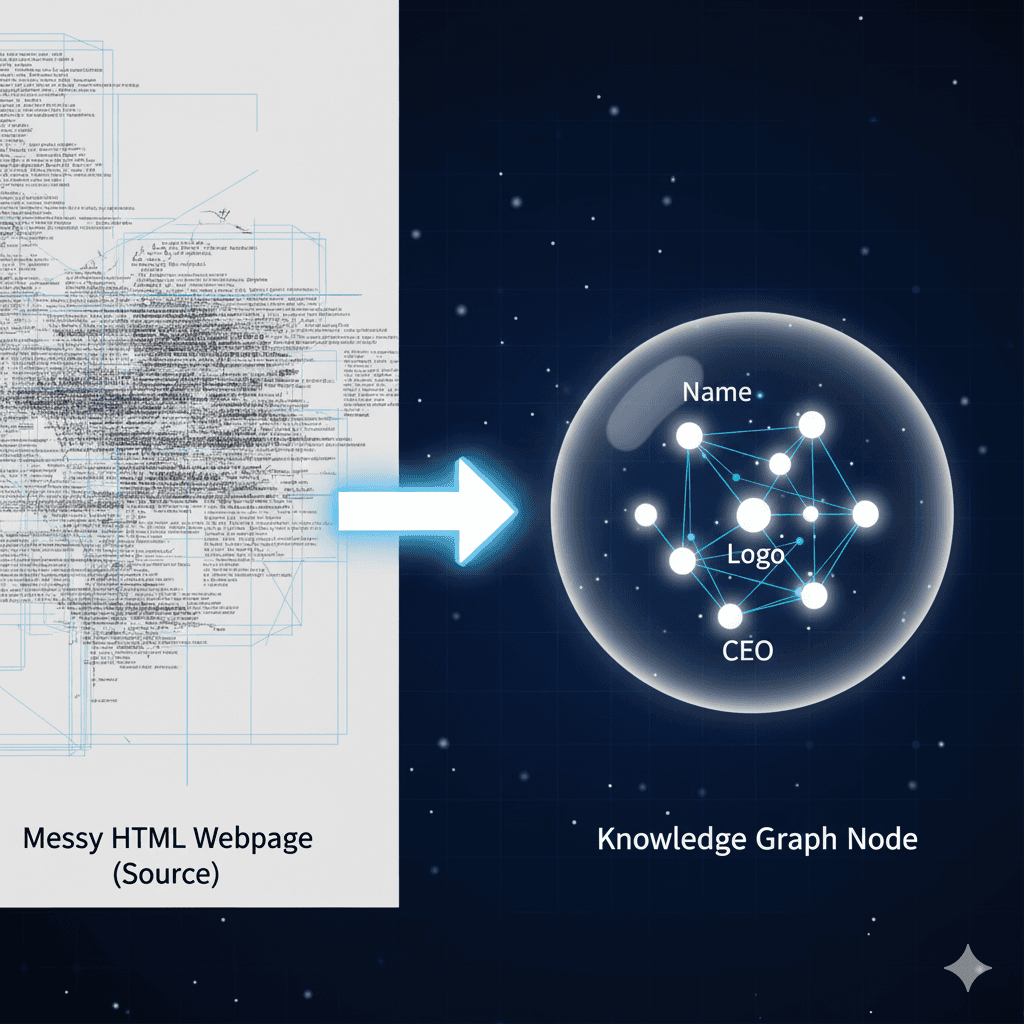
Diagram showing how messy HTML data is parsed into a clean Knowledge Graph Entity node using JSON-LD.

Search engines do not "see" your website like a human; they parse it like a database. When Googlebot hits your page, it splits its attention:

  1. The Visual Layer: Heavy, slow, requires rendering CSS/JS to understand that a JPEG is a "logo."

  2. The Data Layer (JSON-LD): Fast, explicit, and less ambiguous.

Entity schema uses JSON-LD embedded in a <script> tag. The engine resolves the @context (usually schema.org) and the @type (e.g., Organization). It then processes the properties as structured facts it can use for understanding and eligibility logic [1].

The "Stable Node" Concept

The most critical mechanism is the @id. Your @id is the canonical identifier for your entity. It allows multiple pages to reference the same entity without creating duplicate, conflicting definitions [4].

Diagram showing how messy HTML data is parsed into a clean Knowledge Graph Entity node using JSON-LD.

The SOP: Defining Your Digital Twin

The SOP: Defining Your Digital Twin

You do not just "install a plugin." You must architect your entity.

Step 1: The "Identity Extract"

Before writing code, gather the canonical truths. You need:

  • Legal Name: The exact registered business name.

  • Canonical URL: The homepage (e.g., https://example.com/).

  • Stable IDs: The specific URL you will use as the @id (e.g., https://example.com/#organization).

  • SameAs Array: The list of authoritative third-party profiles that verify you are you (social profiles, reference profiles, review profiles). Google’s Organization markup supports sameAs for this purpose [1].

Step 2: The "Pattern" Definition

You must map attributes that match your on-page content. If your footer says "Founded 2010," your Schema must say "foundingDate": "2010".

  • @type: Use Organization or a specific subtype like Corporation, LocalBusiness, or OnlineStore.

  • ContactPoint: Define customer service numbers explicitly to support correct presentation in Google surfaces where applicable (and to reduce ambiguity) [1].

Step 3: The "Injection"

Embed the JSON-LD block in the <head> of your main layout template (header.php, base.html, etc.). It must be present on the Homepage and "About" page at a minimum.

Screenshot/Evidence

You do not just "install a plugin." You must architect your entity.

Step 1: The "Identity Extract"

Before writing code, gather the canonical truths. You need:

  • Legal Name: The exact registered business name.

  • Canonical URL: The homepage (e.g., https://example.com/).

  • Stable IDs: The specific URL you will use as the @id (e.g., https://example.com/#organization).

  • SameAs Array: The list of authoritative third-party profiles that verify you are you (social profiles, reference profiles, review profiles). Google’s Organization markup supports sameAs for this purpose [1].

Step 2: The "Pattern" Definition

You must map attributes that match your on-page content. If your footer says "Founded 2010," your Schema must say "foundingDate": "2010".

  • @type: Use Organization or a specific subtype like Corporation, LocalBusiness, or OnlineStore.

  • ContactPoint: Define customer service numbers explicitly to support correct presentation in Google surfaces where applicable (and to reduce ambiguity) [1].

Step 3: The "Injection"

Embed the JSON-LD block in the <head> of your main layout template (header.php, base.html, etc.). It must be present on the Homepage and "About" page at a minimum.

Screenshot/Evidence

Developer Note: The Code Standard

Developer Note: The Code Standard

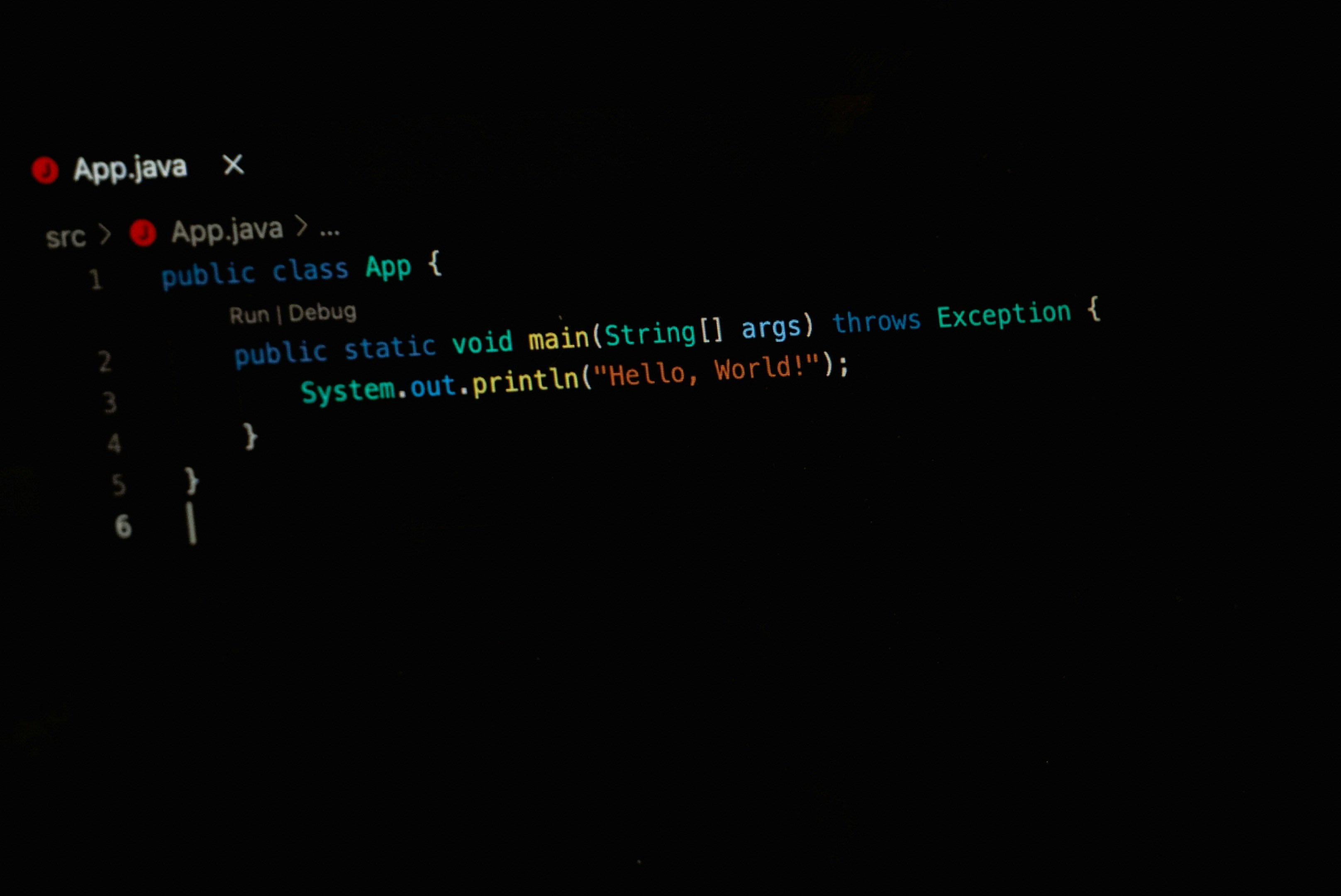
Don't write this from scratch. Adapt this canonical pattern. This JSON-LD block uses the @id strategy to ensure your entity is portable across your site.

<script type="application/ld+json">
{
  "@context": "https://schema.org",
  "@type": "Organization",
  "@id": "https://www.example.com/#organization",
  "name": "Example GmbH",
  "url": "https://www.example.com/",
  "logo": "https://www.example.com/static/logo.png",
  "sameAs": [
    "https://www.linkedin.com/company/example",
    "https://www.facebook.com/example",
    "https://x.com/example"
  ],
  "contactPoint": [{
    "@type": "ContactPoint",
    "contactType": "customer service",
    "telephone": "+49-911-123456",
    "email": "support@example.com"
  }]
}
</script>

Adaptation: Replace Example GmbH with your legalName. Update the sameAs array to include your specific profiles. Placement: Place inside the <head> tag for predictable template management [1].

Don't write this from scratch. Adapt this canonical pattern. This JSON-LD block uses the @id strategy to ensure your entity is portable across your site.

<script type="application/ld+json">
{
  "@context": "https://schema.org",
  "@type": "Organization",
  "@id": "https://www.example.com/#organization",
  "name": "Example GmbH",
  "url": "https://www.example.com/",
  "logo": "https://www.example.com/static/logo.png",
  "sameAs": [
    "https://www.linkedin.com/company/example",
    "https://www.facebook.com/example",
    "https://x.com/example"
  ],
  "contactPoint": [{
    "@type": "ContactPoint",
    "contactType": "customer service",
    "telephone": "+49-911-123456",
    "email": "support@example.com"
  }]
}
</script>

Adaptation: Replace Example GmbH with your legalName. Update the sameAs array to include your specific profiles. Placement: Place inside the <head> tag for predictable template management [1].

Failure Modes: The "Zombie Schema"

Failure Modes: The "Zombie Schema"

The code validates, but the strategy fails.

The "Invisible Mismatch"

This is the most common error. Your Schema says your logo is logo-2025.png, but your visual header uses logo-old.jpg. The Consequence: If structured data is misleading or doesn’t reflect the page content, you can lose eligibility for rich results and Google may take manual/algorithmic action on the markup. Structured data must follow Google’s general policies and guidelines [5].

The "ID" Fragmentation

Developers often paste different Schema blocks on the Homepage vs. the Contact page without a shared @id. The Result: Google may interpret this as separate entities and fail to consolidate the strongest version of your organization node.

The "Silent Syntax" Error

A missing comma or a "curly quote" (instead of a straight quote) will break the entire block. The page loads fine for humans, but the parser sees nothing. Always run the code through a validator and monitor enhancements in Search Console.

References & Verified Data

References & Verified Data

  • [1] Organization Structured Data: Google documentation on Organization markup, including supported properties like logo, contactPoint, and sameAs. Source: Google Search Central.

  • [2] Structured Data Features: Organization details can show up in knowledge panels and other visual elements. Source: Google Search Central.

  • [4] JSON-LD @id Specification: W3C JSON-LD 1.1 specification describing node identifiers used for identifying nodes/entities. Source: W3C.

  • [5] Structured Data Policies: General structured data guidelines and policies required for rich result eligibility. Source: Google Search Central.

Contact Us for a Clear Strategy

Gain the Clarity You Need to Succeed in the AI-Driven Search Landscape

Contact Us
for a Clear Strategy

Gain the Clarity You Need to Succeed in the AI-Driven Search Landscape

Contact Us for a Clear Strategy

Gain the Clarity You Need to Succeed in the AI-Driven Search Landscape